


This product is also compatible with SimHub.
This display is our implementation of the popular open source project iFlag. The hardware isn't based on an Arduino board: we designed our own PCB to get a better form factor.
We also integrated all the iFlag functionality into SimDash, so no additional software is required. We expanded the features of the original iFlag display so that it can also be used as a gear indicator, particularly with simulators other than iRacing.
Main features
- Flags and warnings (SimDash with iRacing): displays all the flags, safety warnings, starting lights and other warning signs. The full list of signals is at the bottom of this page. These signals are only available with iRacing.
- Gear indicator (SimDash with iRacing or any other simulator): optionally, the display can show the current gear. You can customise the colour of the indicator and make it blink based on RPM or, with some simulators, based on the state of the in-game shift light.
- SimHub: when you use SimHub with the iFlag display, flags from all the supported games are shown, not just iRacing.
- Brightness: adjust it in the iFlag configuration screen in SimDash, or with the two push buttons on the back of the display.
Configuration screens
Configuring the display is very simple.
Brightness. The first dialog adjusts the brightness. It's probably faster to do this with the push buttons on the back of the display.

Messages. The next section lets you choose which messages the display shows. We suggest leaving everything ON for the best experience.

Gear indicator. In the Gear Indicator tab you choose whether the iFlag shows the gear position when it isn't displaying other information. You can also set the colour of the gear indicator and the blinking options.

Available signals
The table and pictures below come from the original iFlag page on GitHub. They show all the signals that can be displayed when every iFlag feature is enabled.
Jump to: Racing flags Safety flags Race start lights Pits Repairs progress Overlays
Racing flags
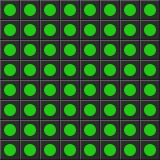 | Green flag | The green flag signals the track is clear. |
|---|---|---|
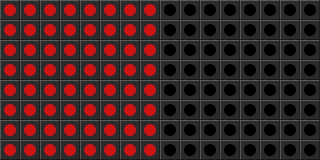 | Red flag | The red flag indicates the race is stopped. |
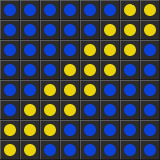 | Blue flag | A blue flag indicates that the driver in front who is one or more laps down must let faster cars behind pass. |
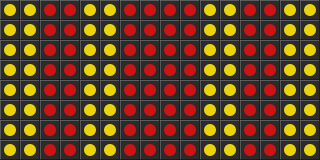 | Debris flag | Substances on the track which could reduce grip or cause a car to lose control. |
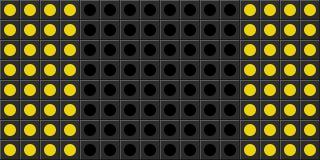 | Yellow flag | Requires drivers to slow down due to a hazard on the track, typically an accident, a stopped car, debris or light rain. |
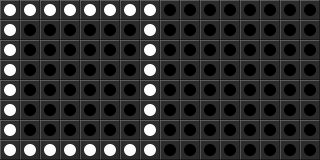 | Black flag | The black flag orders a particular driver into the pit area. |
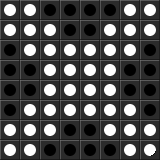 | Disqualify flag | Indicates that the car is no longer being scored. |
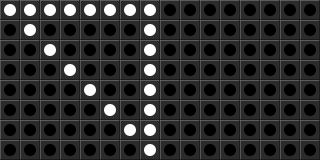 | Furled black flag | This flag indicates a penalty for bad conduct. |
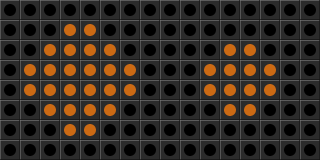 | Meatball flag | The vehicle is being summoned to the pits due to serious mechanical problems or loose bodywork. |
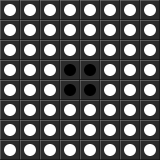 | White flag | The white flag signals that the final lap is in progress. |
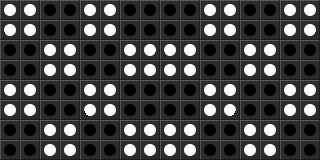 | Chequered flag | The chequered flag is displayed at the start/finish line to indicate that the race is officially finished. |
Safety flags
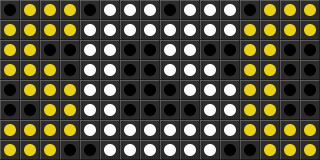 | Caution flag | Full course caution on road track types. |
|---|---|---|
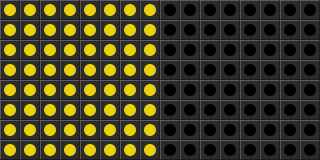 | Caution flag | Full course caution on other track types. |
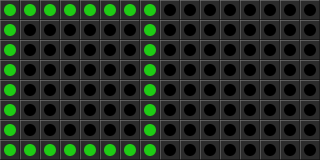 | One lap to green | One lap to green. |
| Green | The green flag signals end of the caution and restart of the race. |
Race start lights
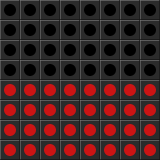 | Ready | All start lights are off. |
|---|---|---|
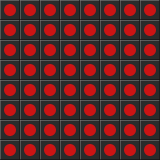 | Set | All red start lights are on. |
| Go! | All green start lights are on. |
Pits
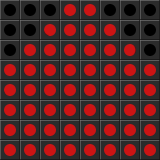 | Too fast | Shows on pit entry & lane when coming in too fast. |
|---|---|---|
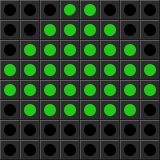 | Little over limit | Shows on pit entry & lane when coming in just slightly over the limit. |
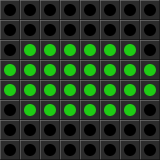 | Speed is OK | Shows on pit entry & lane when driving right at the speed limit. |
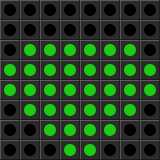 | Little below limit | Shows on pit entry & lane when driving just slightly below the limit. |
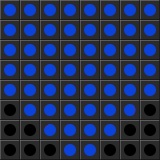 | Too slow | Shows on pit entry & lane when driving too slow. |
| Blue flag | Shows on pit exit with faster car on track within 100 meter behind. |
Repairs progress
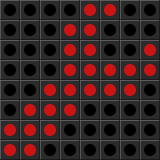 | Mandatory repairs | Shown when mandatory repairs are in progress. |
|---|---|---|
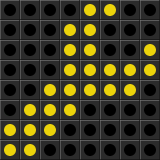 | Optional repairs | Shown when optional repairs are in progress. |
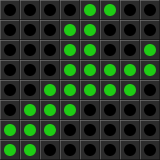 | Repairs completed | Shown when all repairs are completed. |
Overlays (displayed on top of previous signals)
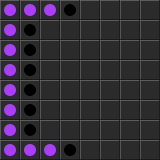 | Car left | Spotter warning about ONE car close on the left side. |
|---|---|---|
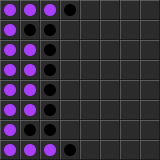 | Cars left | Spotter warning about TWO cars close on the left side. |
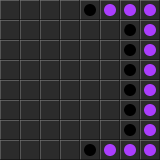 | Car right | Spotter warning about ONE car close on the right side. |
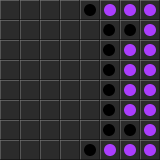 | Cars right | Spotter warning about TWO cars close on the right side. |
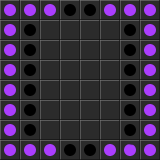 | Car left and right | Spotter warning about one or more cars close on the left and right sides. |
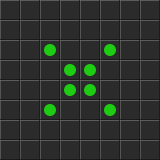 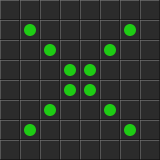 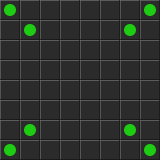 | Incident | Lights up for 3 seconds every incident count increases. Displayed overlay depends on configuration. |
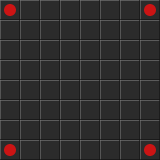 | Pit closed | Shows when pits are closed. |
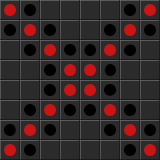 | Entering closed pits | Warning on pit entry when pits are closed. |
iFlag (and gear indicator)
- Product Code: iFlag for iRacing
-
£29.50