
Downloads
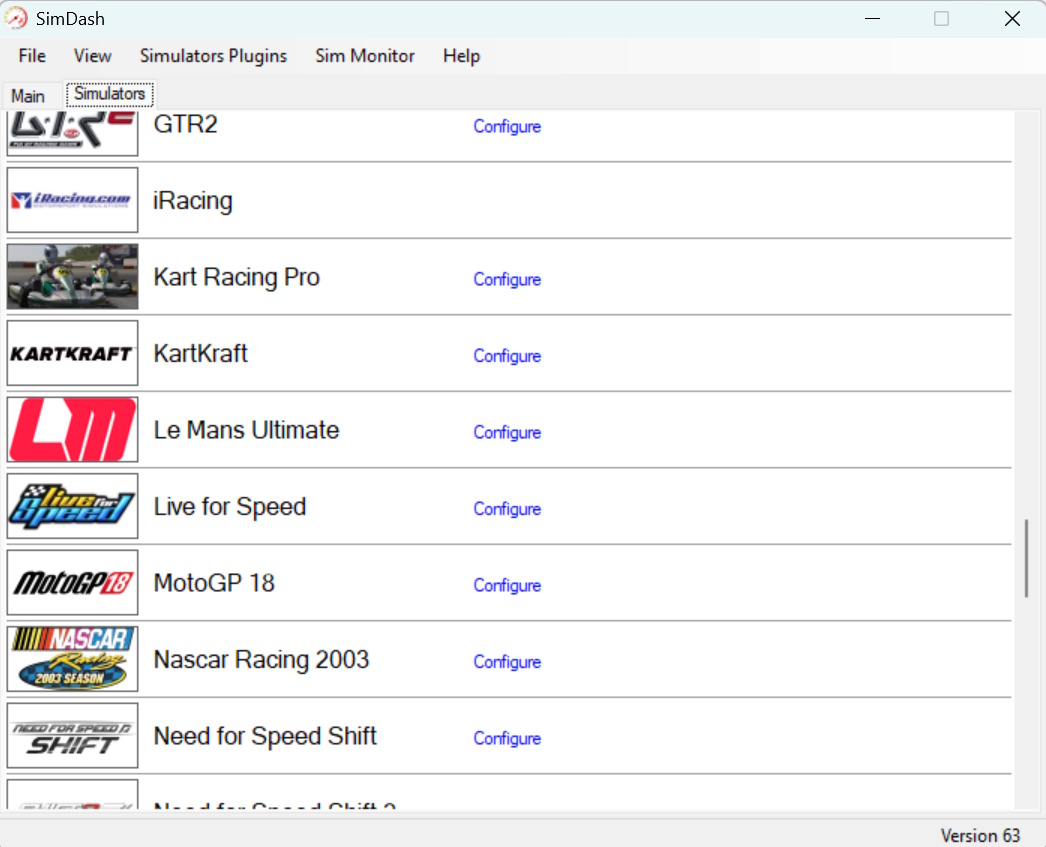
SimDash is the configuration and control software for our boards. The installer automatically downloads any required dependencies, including the Microsoft .NET Framework.
On first launch, SimDash checks for available updates. If Windows Firewall is enabled you may see a prompt for this; simply allow the connection to proceed.
What's new
Version 71
- Supports FURIDASHI: Drift Cyber Sport2.
Show previous versions...
Version 70
- SimHub plugin: added brake air pressure support.
Version 69
- Fixed a communication issue affecting USB devices, improving connection stability and reliability.
Version 68
- Supports Forza Horizon 6.
Version 67
- Fixed the Le Mans Ultimate plugin, which was broken by recent changes to the game.
Version 66
- iRacing: the spotter now distinguishes one car alongside from two or more.
- iRacing: all spotter states are assignable in the Relay, Pro-Shift and JC-LED plugins for independent outputs.
- iFlag: new LED overlay patterns for the two-cars-left and two-cars-right spotter states.
- iFlag: fixed an occasional UI freeze on device connect.
Version 65
- Supports Assetto Corsa EVO 0.6.
Version 64
- Fixed some small bugs.
Version 63
- Supports Wreckfest 2.
Version 62
- Supports Assetto Corsa Rally.
Version 61
- Fixed a bug with the GI Max display module.
Version 60
- Supports the new RaceRoom Racing Experience telemetry system.
Version 59
- Supports F1 25.
Version 58
- Fixed a bug in the iRacing plugin that was causing SimDash to crash.
Version 57
- Supports Assetto Corsa EVO.
Version 56
- The JC-LED controller has been updated to support a larger number of 7-segment displays and LEDs.
Version 55
- Added support for more recent models of VoCore displays.
Version 54
- Supports F1 24.
Version 53
- Supports Le Mans Ultimate.
Version 52
- Supports the new GearUp display.
Version 51
- Supports WRC 2023.
Version 50
- Supports the latest version of Forza Motorsport.
Version 49
- Euro Truck Simulator and American Truck Simulator: data about parking lights and retarder level is now available. It can be used to control LEDs and 7-segment displays with the JC-LED controller, or to be shown by the Sim Monitor app, SimScreen or DDU displays.
- You must follow the configuration steps of the ATS and ETS plugins in SimDash again for the new data to become available.
Version 48
- Added support for F1 2023.
Version 47
- Supports the DDU10 display.
Version 46
- Supports Glider Sim.
Version 45
- Supports WRC Generations.
Version 44
- Supports EA F1 22.
Version 43
- The Sim Monitor app supports VoCore displays.
Version 42.0.1
- Fixed a small bug that appeared when configuring a gear indicator with the JC-LED controller.
Version 42
- Fixed a compatibility issue with Windows 11.
Version 41.0.2
- Fixed the iRacing plugin occasionally not shutting down correctly and freezing SimDash.
Version 41.0.1
- Fixed a bug involving iRacing and the shift lights of the Pro-Race display.
Version 41
- Supports the iFlag display for iRacing.
- The iRacing plugin has been expanded to handle more telemetry data. The full list of supported telemetry values is in this spreadsheet.
Version 40
- Supports Forza Horizon 5.
Version 39
- Supports some Rexing products.
Version 38.0.1
- Fixed a bug with the F1 2021 plugin.
Version 38
- Supports Codemasters F1 2021.
Version 37
- Supports the X27 stepper motors controller.
Version 36
- Works with Project Cars 3.
Version 35
- The Sim Monitor application now supports USBD480 displays.
Version 34
- Added support for MotoGP 18.
Version 33
- Added support for Forza Horizon 4.
Version 32
- Added support for Codemasters F1 2020.
Version 31
- Added support for Automobilista 2.
Version 30
- Added support for KartKraft.
Version 29
- Updated the GP Bikes plugin to work with the latest version of the simulator.
Version 28
- Supports Codemasters' GRID (2019).
- Supports some Precision Sim Engineering products.
Version 27
- Supports Codemasters' F1 2019.
- Supports Trackmania Turbo.
Version 26
- Supports the latest update of RaceRoom Racing Experience.
Version 25
- Added support for Dirt Rally 2.0.
Version 24
- Added support for the new version of the fan controller.
Version 23
- Added support for Assetto Corsa Competizione.
Version 22
- Expanded the telemetry data available for Forza Motorsport 7.
- Supports Codemasters' new release F1 2018.
Version 21
- Supports Forza Motorsport 7. Only RPM, RPM %, max RPM and speed data is available at the moment.
Version 20
- Supports the new gRally simulator.
- The JC-LED plugin has been updated. It is now possible to switch an LED on and off with the press of a button connected to the JC-LED, Pro-Race, JC32 or JC24 controllers.
Version 19
- Supports the Pro-Race Micro shift array display.
Version 18
- The Project Cars 2 plugin now works with the pCars 2 native telemetry, not the pCars 1 compatible one. Open the plugin's configuration screen to see how to configure the simulator.
- SimDash has been updated to work correctly with the 64-bit version of RaceRoom Racing Experience.
Version 17
- Project Cars 2 is now supported.
Version 16
- Codemasters F1 2017 is now supported.
Version 15
- Supports NoLimits 2 Roller Coaster Simulator. Only speed data is available, to drive the Fan Controller.
- In the Pro-Race 2 configuration screen, in the Shift Lights section, there is a new checkbox. If enabled, the shift lights switch on and off exactly when they do in the simulator, with no need to configure them. This only works with iRacing for the moment.
- New data is available with RaceRoom Racing Experience: fuel percentage, brake temperature, wheel pressure and wear, flag indicators, pit lane indicator, lap distance, and the gap to the next player and to the leader.
- New data is available for Euro Truck Simulator and American Truck Simulator. This document contains the full list. Not every data item works every time; the game doesn't always send the correct data in some situations. To use the new data, you have to reconfigure the ETS and ATS plugins in SimDash: open their configuration screens and follow the instructions. The new data won't be available in SimDash if you don't do this.
- Added support for Dirt 4. More data will be available for this game very soon. The supported data is listed here.
Version 14
- Supports the JC-LED controller.
- Fixed some minor bugs.
Version 13
- Updated to work with the Nov. 2016 patch for RaceRoom Racing Experience.
Version 12
- Works with the Fan Controller.
- A small relay is available for the Pro-Gauge controller, allowing gauge and dashboard backlights to be switched on and off when SimDash is started and stopped.
Version 11
- Added support for BeamNG.drive and Codemasters F1 2016.
- iRacing: the following data is now available: delta time to best lap, to session best lap, to last lap, to optimal lap and to session optimal lap; and traction control.
- Assetto Corsa: in-pit-lane flag, air temperature, flags and traction control.
Other downloads
Bootloader
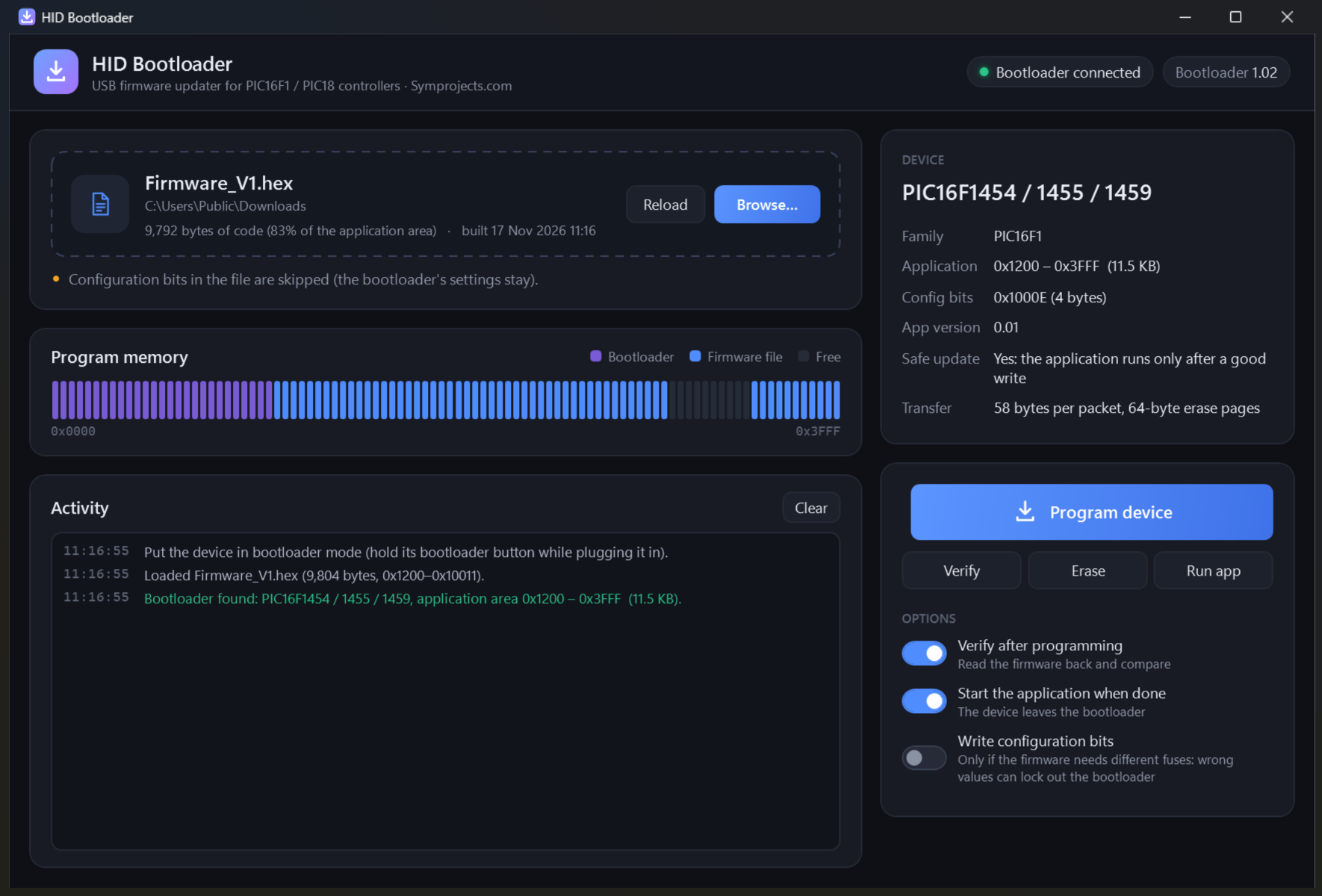
The Bootloader application is used to update the firmware of the Rev Burner, SPI-D, Pro Shift, SimScreen and all our other boards. Follow these steps to complete the operation.
Download the Bootloader application
Joystick Controller Configuration Utility
This small application is used to configure the joystick controllers.
Download the Configuration application
